
How UI/UX Design Can Improve Website Experience for Delhi NCR Businesses by Scriza Pvt. Ltd.
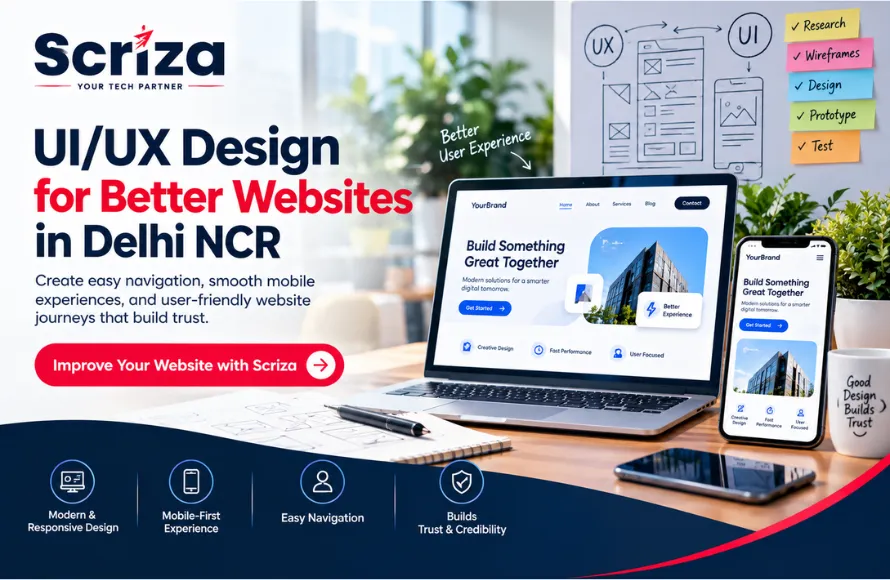
A website can have good content, strong services, and attractive visuals, but that does not automatically make it easy to use.Imagine a potential customer visiting your website for the first time. They want to understand what your business offers, find the right information, check your credibility, and possibly contact you. If they cannot figure out where to go next, they may simply leave. This is where UI/UX design becomes important. For businesses in Delhi NCR, a well-planned UI/UX experience can make a website easier to understand, more comfortable to use, and more effective at guiding visitors towards meaningful actions. UI and UX are connected, but they are not exactly the same. UI, or User Interface, focuses on visual and interactive elements such as layouts, buttons, typography, colours, forms, and menus. UX, or User Experience, focuses on how people experience the website, including navigation, information structure, ease of use, and the overall customer journey. A website can look impressive but still be difficult to use. Good UI/UX brings both sides together. Visitors should not have to search through several pages to find basic information. A clear navigation structure helps users quickly understand: What the business does Which services are available Where to find important information How to contact the business What they should explore next Simple menus, logical page structures, and clear labels can make a significant difference. The goal is to reduce unnecessary effort. People usually visit a business website with a specific purpose. They may want to check a service, compare options, understand pricing, read about the company, or send an enquiry. UI/UX design can organise information so important details are easier to find. Instead of putting everything on one crowded page, content can be divided into clear sections with appropriate headings, visuals, buttons, and supporting information. Many website visitors access businesses through smartphones. A website that looks good on a desktop but becomes difficult to use on a mobile screen can create unnecessary friction. A good mobile UX should consider: Readable text Easy-to-tap buttons Simple menus Proper spacing Fast access to contact options Forms that are comfortable to complete Content that adapts to smaller screens Mobile design should not feel like a smaller version of the desktop website. It should be designed around how people actually use smaller screens. Before contacting a business, visitors often make quick judgements based on the website. A clean and organised interface can help communicate professionalism. Trust can be supported through: Consistent branding Clear company information Professional visuals Customer testimonials Case studies Recognisable contact details Easy-to-understand service information Good design does not replace a strong business reputation, but it can make that reputation easier to communicate online. A website should have a clear path for different types of visitors. For example, someone who already knows what they need may want to contact the business immediately. Another visitor may need to learn about the service before making a decision. UI/UX design can support both journeys. A well-planned website might guide visitors through: Discover → Understand → Explore → Build Confidence → Take Action The exact journey depends on the business and its audience. Buttons should tell users what will happen next. Instead of placing multiple generic buttons throughout a page, businesses can use relevant calls-to-action such as: Request a Quote Book a Consultation Get Started View Services Contact Our Team Schedule a Demo The CTA should match the visitor's stage in the journey. A person reading an introductory section may need more information, while someone who has already explored the service may be ready to enquire. Long or confusing forms can discourage visitors from completing an enquiry. UI/UX design can make forms easier by considering: Number of fields Field labels Input types Error messages Button placement Mobile usability Confirmation messages Only information that is genuinely useful should be requested at each stage. Some businesses offer services that are difficult to explain in a few sentences. Technology companies, software providers, consulting firms, healthcare businesses, financial services, and B2B companies often have complex offerings. Good UX can break this information into manageable sections. For example, a page can explain: The problem → The solution → How it works → Benefits → Proof → Next step This allows visitors to understand the service without being overwhelmed by large blocks of information. A website should be comfortable for as many users as reasonably possible. Readable typography, sufficient contrast, clear labels, sensible spacing, understandable navigation, and meaningful interaction feedback can improve usability. These details may seem small individually, but together they contribute to a smoother experience. There is no single UI/UX layout that works for every business. An e-commerce website may need strong product discovery and checkout flows. A healthcare website may need easy appointment-related journeys. A software company may need product explanations and demo requests. A service business may focus heavily on enquiries and consultations. This is why UI/UX should begin with understanding what the website needs to achieve. Delhi NCR includes businesses across many industries, so website experiences need to be adapted accordingly. Visitors may be looking for doctors, treatments, departments, appointments, or contact information. Clear navigation and accessible information can make the journey easier. Property websites need strong search, filtering, property information, location details, images, and enquiry options. Students and parents may need information about courses, admissions, fees, facilities, and contact options. The website should make these details easy to explore. Technology businesses often need to explain complex products clearly. Good UX can help visitors understand features, use cases, integrations, and pricing. For agencies, consultants, legal-support businesses, and other service providers, the website should quickly communicate expertise, services, proof, and how to get in touch. A better website experience does not automatically guarantee more conversions. However, when visitors can easily find information, understand your services, and complete important actions, the website can make it easier for them to move forward. Good UI/UX can support conversions by: Making important information easier to find Creating clear and useful calls-to-action Simplifying enquiry and contact forms Making the website easier to use on mobile devices Reducing confusion during the customer journey Helping visitors understand what to do next The focus should not be only on making a website look attractive. A well-designed experience should also make it easier for visitors to take meaningful actions. Sometimes a website does not need a complete redesign. It may simply need improvements in a few important areas. Look for issues such as: Confusing navigation Too much information on one page Weak visual hierarchy Poor mobile layout Difficult enquiry forms Unclear buttons Inconsistent design Slow or distracting interactions Important information being difficult to find Identifying these problems can be the first step towards improving the website. Scriza Pvt. Ltd. approaches UI/UX design by looking beyond individual screens. The focus is on understanding the business, its audience, the purpose of the website, and the actions visitors need to take. Depending on the project, the process can involve: User and business requirement understanding Website structure and user flows Wireframing UI design Responsive design Conversion-focused page layouts Design consistency Usability improvements The objective is to create a website that not only looks professional but also makes sense to the people using it. For businesses in Delhi NCR, a website is often one of the first places where potential customers interact with the brand. That experience should be clear, useful, and easy to navigate. Good UI/UX design can help visitors find information faster, understand the business more easily, and take the next step without unnecessary confusion. Whether you are building a new website or improving an existing one, looking at the experience from the visitor's perspective can reveal opportunities that visual changes alone may miss. If your website looks good but visitors still struggle to find information or take action, Scriza Pvt. Ltd. can help you create a clearer and more user-friendly website experience.What Do UI and UX Actually Mean?
1. Make Website Navigation Easier
2. Help Visitors Find Information Faster
3. Create a Better Mobile Experience
4. Build Trust Through Design
5. Improve the Customer Journey
6. Make Calls-to-Action More Useful
7. Reduce Friction in Enquiry Forms
8. Make Complex Services Easier to Understand
9. Improve Website Accessibility and Usability
10. Design Around the Business Goal
UI/UX for Different Delhi NCR Businesses
Healthcare Businesses
Real Estate Businesses
Education Businesses
SaaS and Technology Companies
Professional Service Businesses
UI/UX Can Support Better Conversions
Common UI/UX Problems Businesses Should Look For
How Scriza Approaches UI/UX Design
A Better Website Starts With a Better Experience
Related News


Categories

AI Business Solutionsa
AI Solutions Company in Delhi NCR Helping Businesses Across India Automate, Innovate & Grow

Answer Engine Optimization (AEO)
Professional Answer Engine Optimization (AEO) Services in Delhi NCR for Businesses Across India

E-Commerce Development
Professional eCommerce Development Services in Delhi NCR for Businesses Across India

Generative Engine Optimization (GEO)
Professional Generative Engine Optimization (GEO) Services in Delhi NCR for Businesses Across India

Mobile Application Development
Professional Mobile Application Development Services in Delhi NCR for Businesses Across India

Paid Marketing
Professional Paid Marketing Services in Delhi NCR for Businesses Across India

Search Engine Optimization (SEO)
Professional Search Engine Optimization (SEO) Services in Delhi NCR for Businesses Across India

Software Development
Custom Software Development Services in Delhi NCR for Businesses Across India

Website Development
Professional Website Development Services in Delhi NCR for Businesses Across India

Grow Your Business with Performance Marketing
Commit for 3 months and get 2 video shoots absolutely FREE.